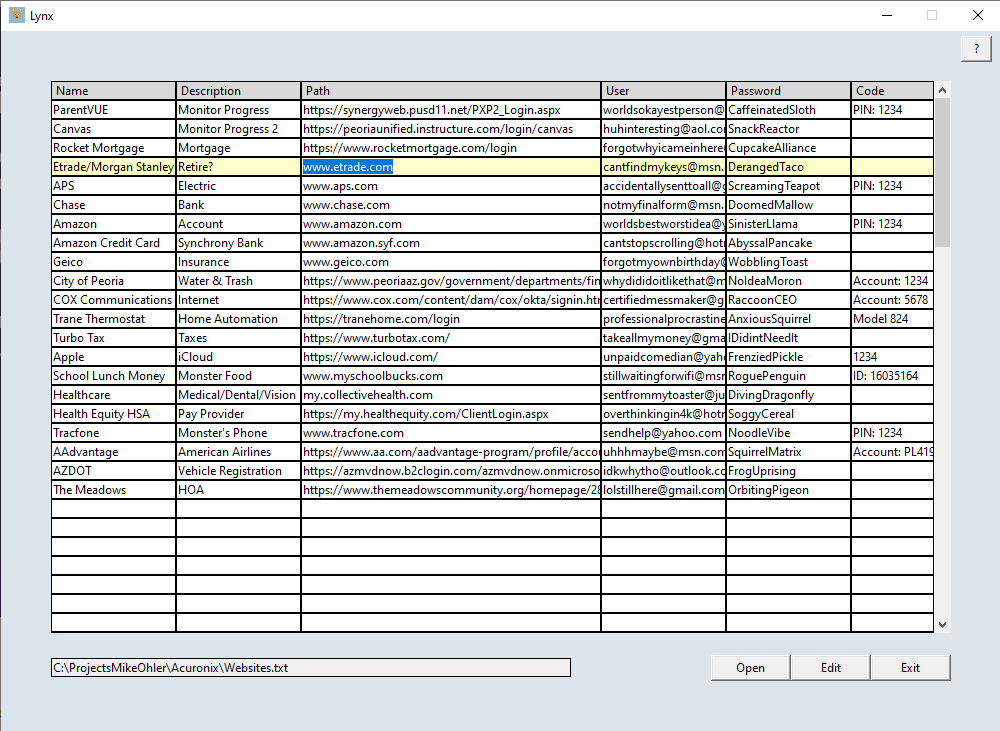
I developed the Lynx application for the PC/Windows (will not work with MAC or phone) to help keep track of sites and passwords. I use it daily to quickly access sites (just double-click on a row). Any associated usernames and passwords are listed right there. The table information is saved in a tab delimited file, and different tables can be created and loaded for different users or tasks. There is no sharing of the data to the cloud, unless the folder you choose for the file is automatically backed up there. A shortcut on your taskbar allows quick launch of the application. Double-clicking on any row opens your default browser and navigates to the site designated in the path. If there is an associated password for the site then it is copied to the clipboard for pasting. A help button in the upper right corner explains the short setup and operation of the application. This is an updated version of an application I made years ago in LabVIEW to help with all of the links needed for my son during COVID-19. This new version was made in Python. There is very little overhead so it runs much faster. This is the first offering of a small business I am beginning. I am not asking much for it as you are helping me establish a platform for commerce. Can you make a spreadsheet to accomplish the same thing? Absolutely. I like this standalone application that opens a list of your sites and passwords quickly, designed with one purpose. Maybe it can make your password access life easier. Thanks for your support, and help!
After download, move the zip file to a location of your choosing, unzip the file and double-click “Lynx.exe”. Press the Help button in the upper-right corner to get started.
Reviews
There are no reviews yet.